Work / Cargo Produce
Case 01 / 09 · B2B SaaS · LogisticsCargoProduce
Managing third-party suppliers end to end, from the purchase order to the audited invoice.
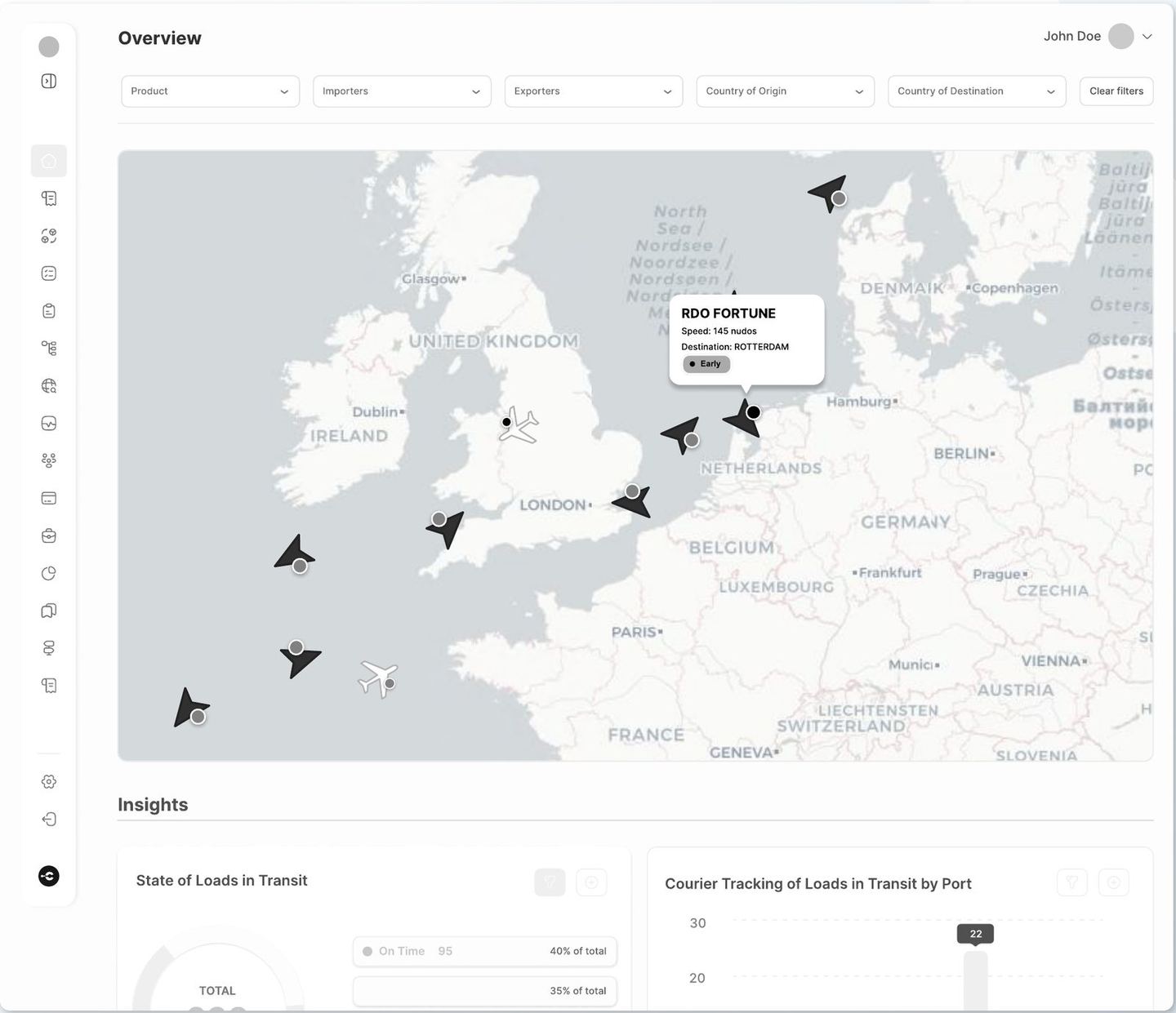
- Company
- Cargo Produce · Austin, TX (remote)
- Sector
- B2B SaaS · Logistics & supply chain
- My role
- UX/UI Designer → Product Designer, leading the product roadmap
- Year
- 2024 – 2026
- Platform
- Web app for importers and their suppliers
- Tools
- Figma, Jira, Hotjar, Intercom, GA4, Looker Studio
01Context
One platform for shipments that cross oceans, land and air.
Cargo Produce is a B2B logistics platform used by importers of fresh produce. It brings bookings, live tracking, documents, invoicing and financing into one place, so operations, finance and their suppliers work on the same data.
I joined as UX/UI Designer and moved into leading the product roadmap: deciding what to build next with the founders, designing it, and working with the dev team until it shipped.
02The challenge
Every shipment depends on documents that someone else has to send.
For each container, the importer needs a bill of lading, an invoice, a packing list and several certificates from the exporter. Coordinating that by email means chasing suppliers, typing the same data again and checking invoices line by line by hand.
The goal was to let importers invite their suppliers into the platform, ask for exactly the documents they need, and turn those documents into usable data with almost no manual entry.
03Process
Nine steps, two sides of the deal, one shared record.
- Importer01Create the exporter
General info, payment terms and the documents required for every shipment.
- Platform02Invitation
The supplier gets an activation email and creates an account.
- Importer03Create purchase orders
Manually or via API, with the shipment details the supplier must complete.
- Supplier04Review purchase orders
A list of every PO and which documents are still missing.
- Supplier05Upload documents
Bill of lading, invoice and extras, container by container.
- Platform06Instant notification
The importer is told the moment everything is uploaded.
- Platform07Data extraction
AI pre-fills the shipment, SKUs and tracking from the documents.
- Importer08Export invoice audit
Compare invoices with agreed pricing, raise claims, group payments.
- Importer09Document audit
Approve, partially approve or return each document for correction.
04The solution
Key screens.
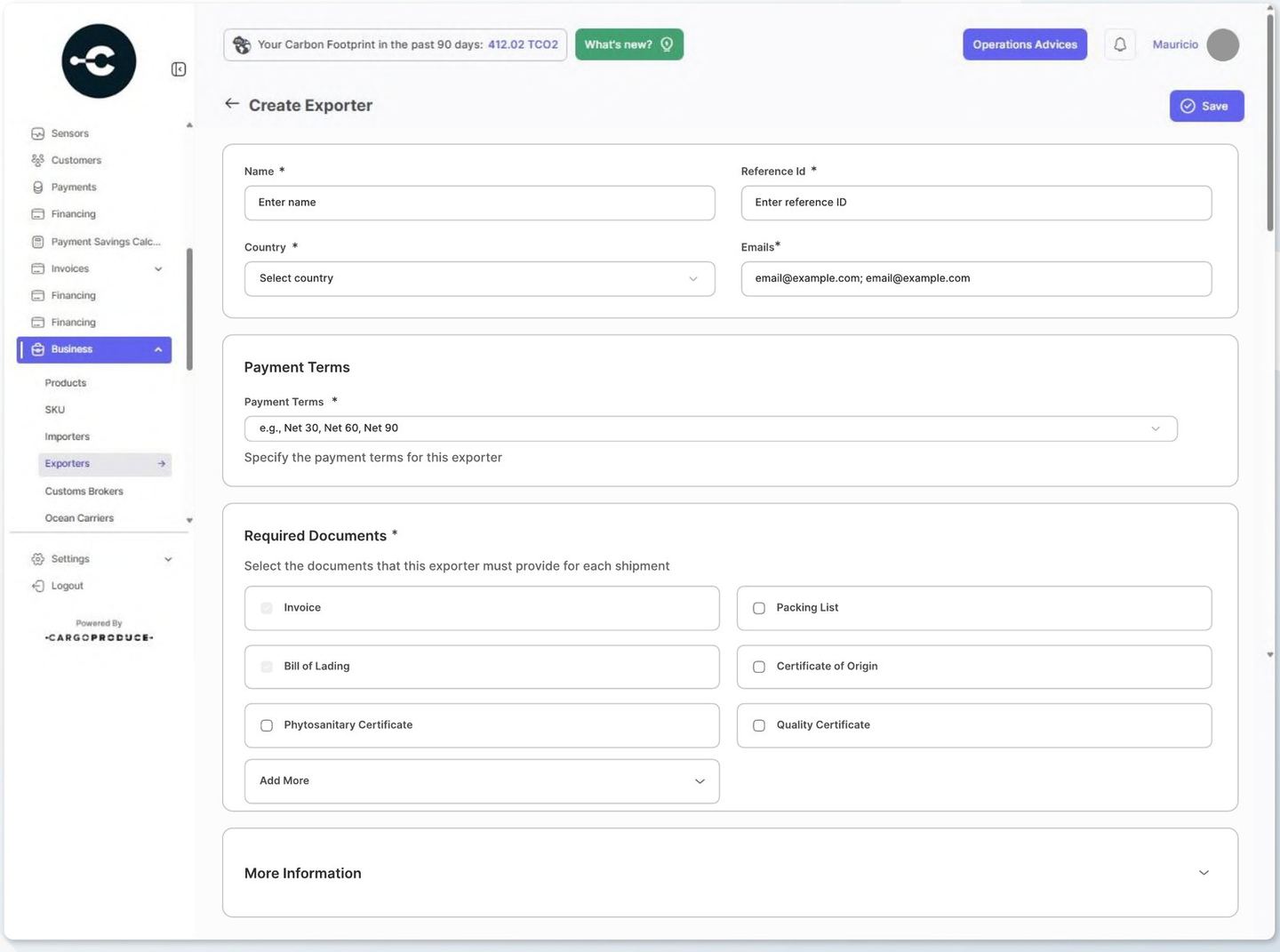
Requirements are set once per supplier, so every future shipment already knows which documents it needs.
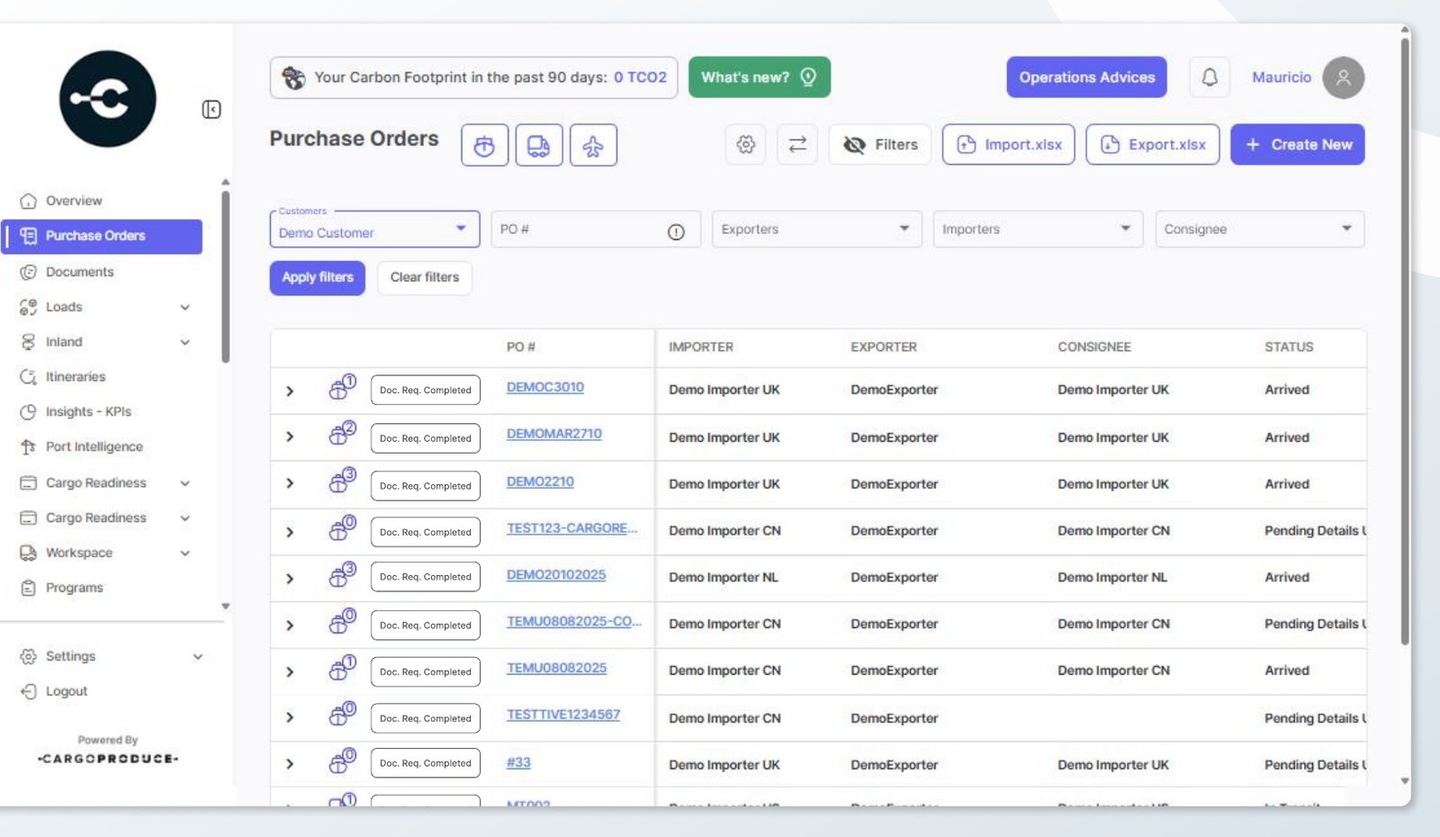
Suppliers see what is pending at a glance, with a document status on every row.
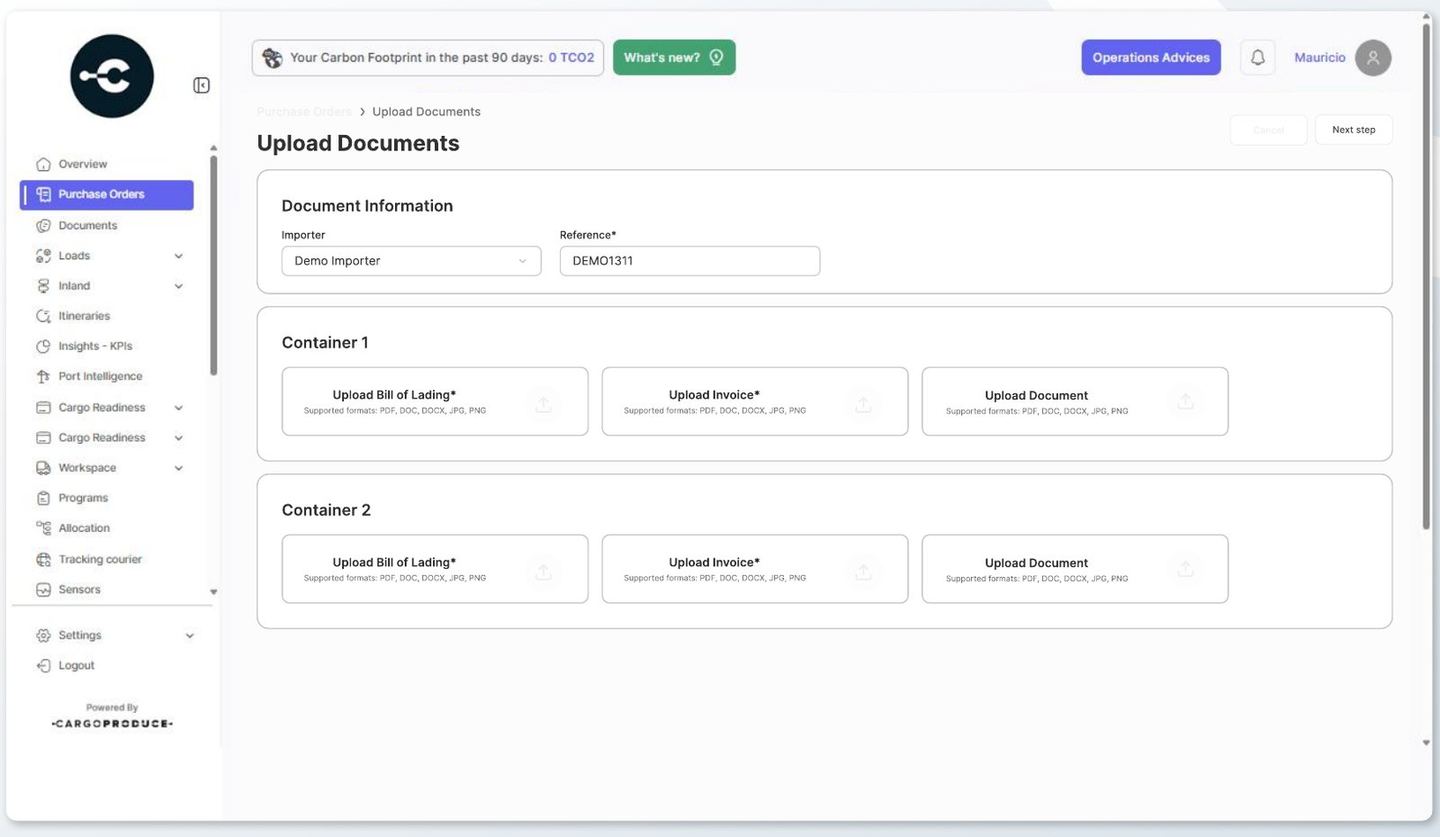
Organised by container, with the mandatory files marked, so nothing is missing at arrival.
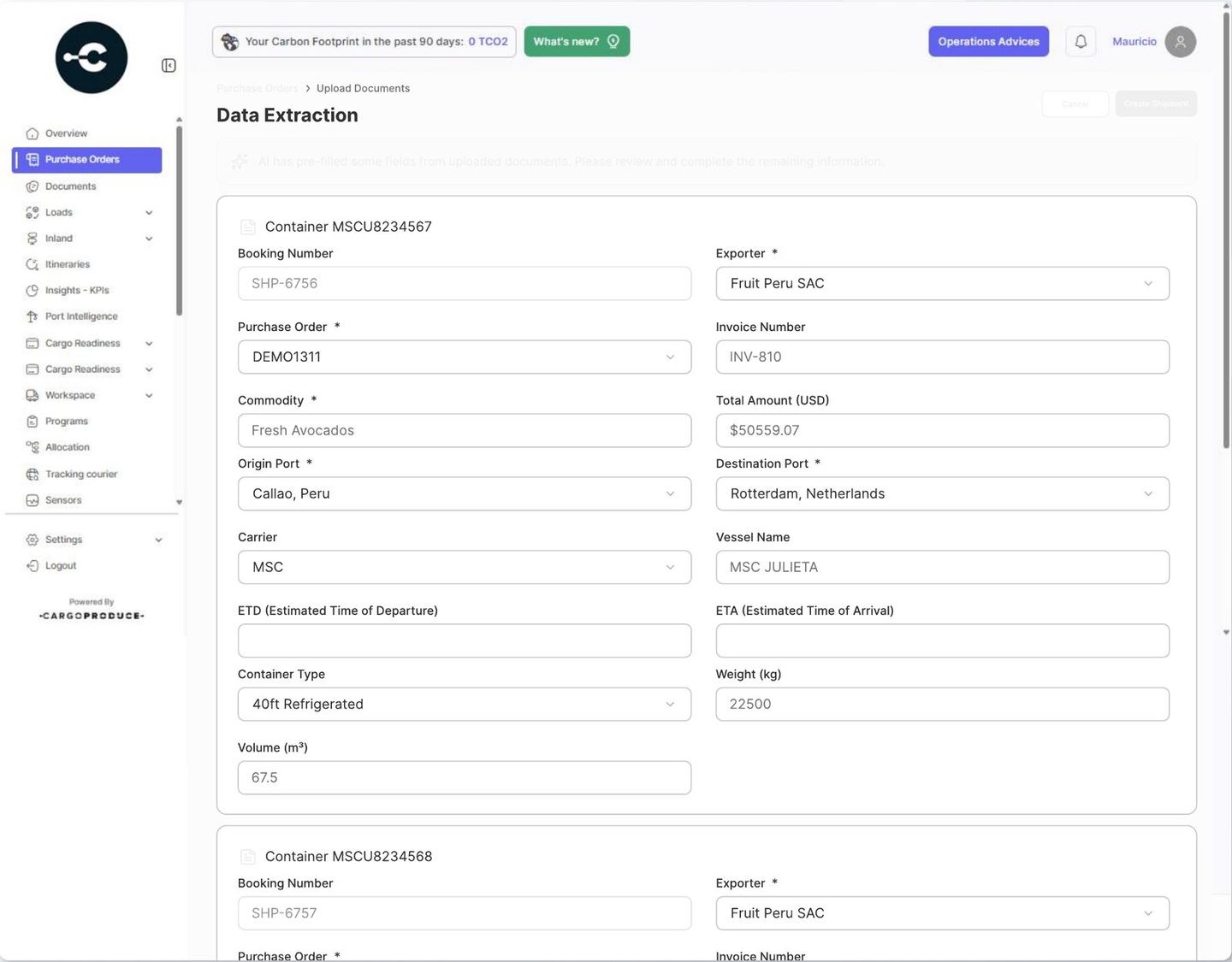
Uploaded documents pre-fill the shipment. The importer only reviews and confirms, instead of typing.
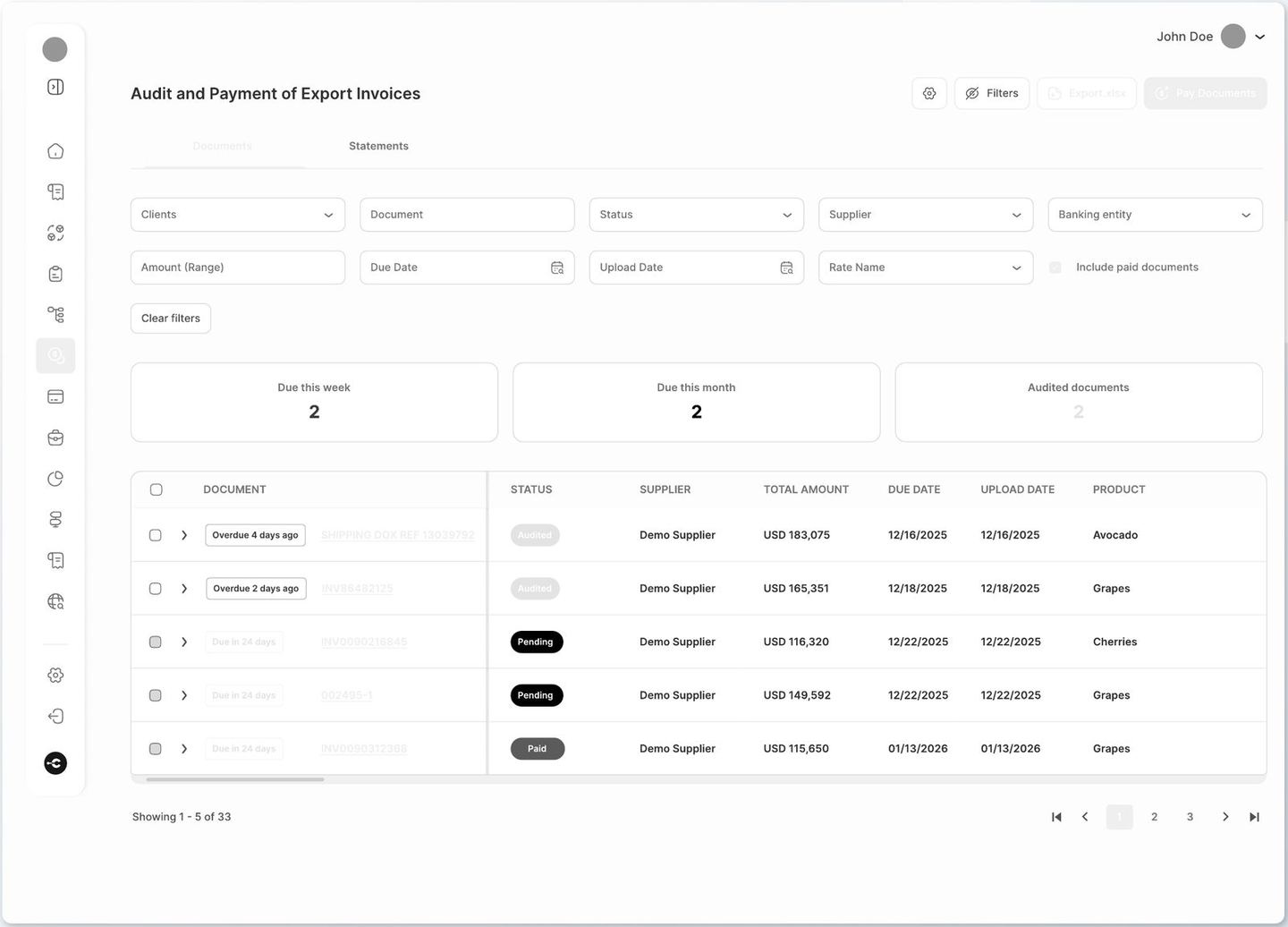
Invoices checked against agreed prices, with claims to the supplier and statements to pay several invoices at once.
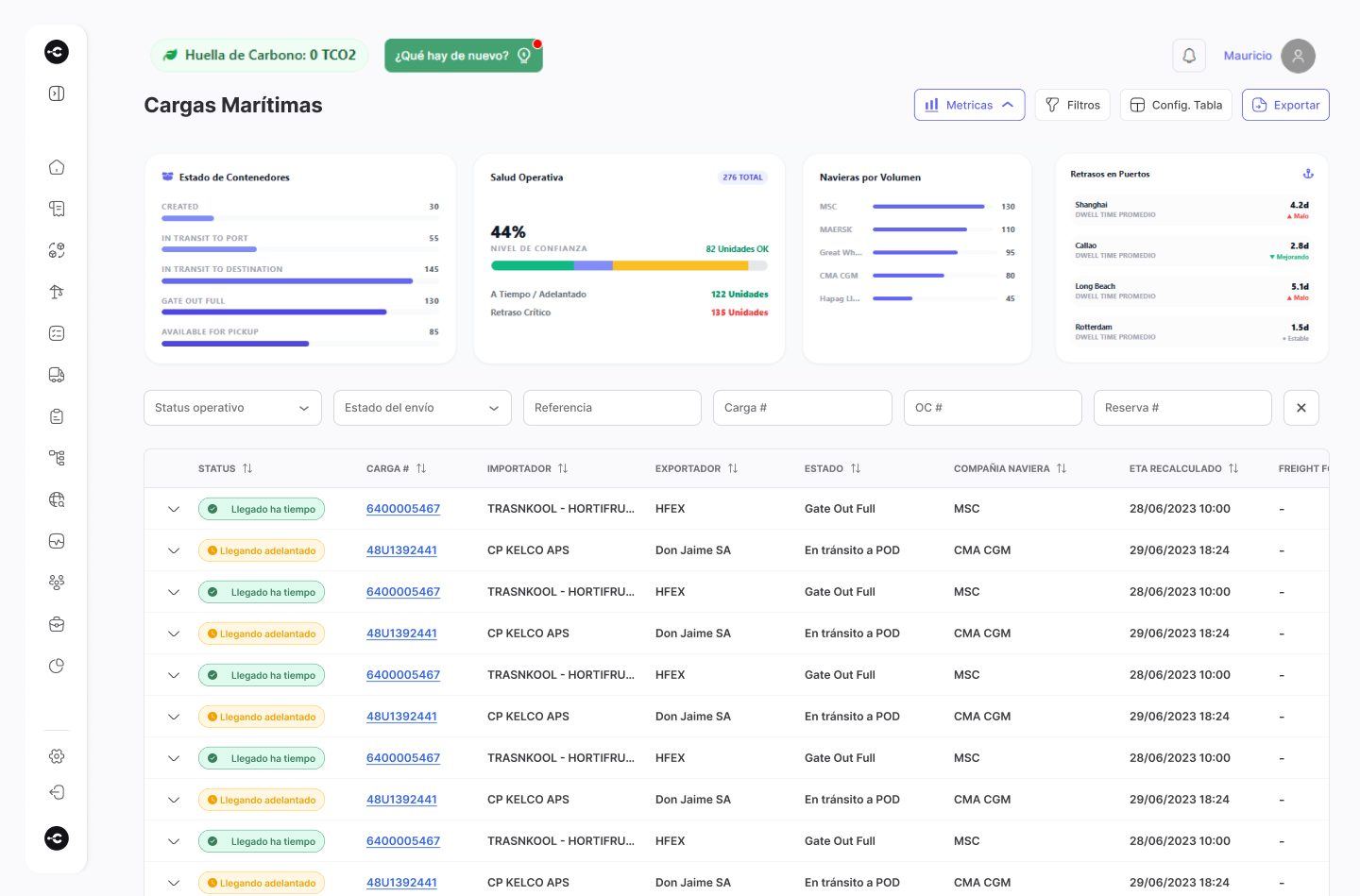
Once the documents are in, every container is tracked with its status, carrier and port delays.
05My role
From screens to roadmap.
- Product directionPrioritised the roadmap and defined each module with the founders.
- End-to-end designFlows, wireframes and high-fidelity UI for importers and suppliers.
- Design systemBuilt the components and documented their usage rules in Jira for the dev team.
- EvidenceUsed Hotjar, Intercom and GA4 to find friction and measure changes.
06Results
Less chasing, faster answers.
Team results, measured with Hotjar, Intercom and GA4.
07What improved
Before and after.
Design for both sides of the deal.
Every screen had to answer one question for whoever was looking at it: what do I owe the other side next? Once that was clear for importers and suppliers, most of the email simply stopped being necessary.
B2B SaaS · Ocean & land freight
→