Work / Bookings & Inland
Case 02 / 09 · B2B SaaS · Ocean & land freightBookings& Inland
From searching a sailing to the truck at the port gate, in one flow connected to the ocean carriers.
- Company
- Cargo Produce · Austin, TX (remote)
- Sector
- B2B SaaS · Ocean & land freight
- My role
- Product Designer, plus requirements and API mapping with the provider
- Year
- 2025
- Platform
- Web app for exporters and trucking companies
- Tools
- Figma, Postman, Jira
01Context
Booking a container meant five websites and a WhatsApp group.
Exporters of fresh fruit booked space on each carrier's own site, then coordinated the truck that takes the empty container to the packing house and the full one to the port, usually by phone and chat.
Cargo Produce integrated a connection provider (API) between its clients and the ocean carriers, so the whole booking and the inland leg could happen inside the platform.
02The challenge
Many carriers, many APIs, one product.
Every carrier has its own fields, cut-offs and confirmation times. Reefer cargo adds temperature, ventilation, pre-cooling and controlled atmosphere, and a mistake there can spoil a whole container.
The flow had to feel like one product while mapping to several APIs, and hand the booking over to inland transport without anyone typing it twice.
03Process
Eight steps from sailing to port gate.
- Exporter01Connect carriers
Link the accounts the exporter already has and see which carriers are connected.
- Exporter02Search itineraries
Port of loading, port of discharge, week and container type, with a reefer flag.
- Platform03Compare sailings
Transit time, departure, arrival and vessel for every connected carrier, side by side.
- Exporter04Create the booking
Containers, cargo conditions and ports, sent through the connection API.
- Platform05Bookings to confirm
Every request with its status until the carrier confirms it.
- Exporter06Create the inland
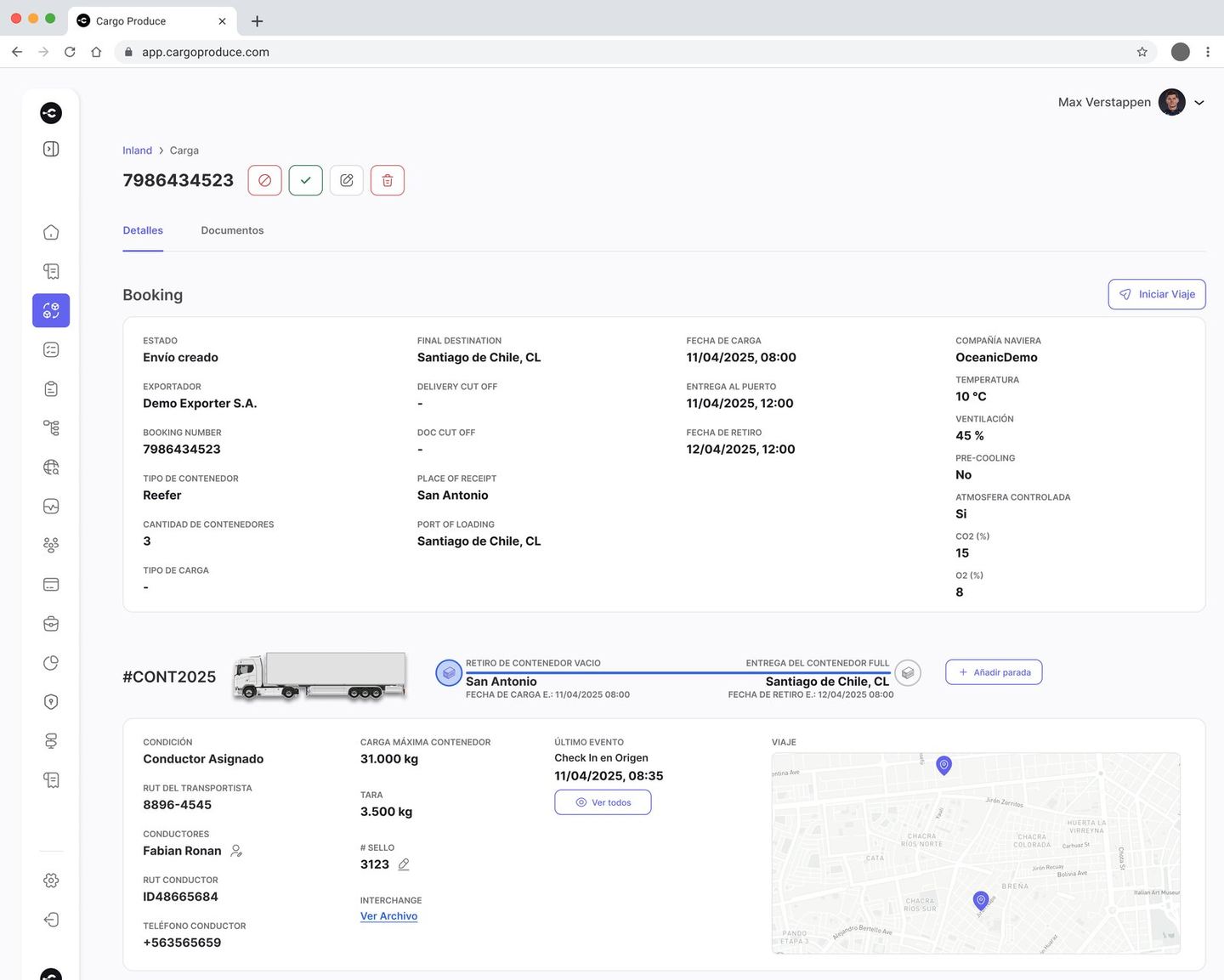
Booking data is reused; reefer settings are set once and travel with the container.
- Exporter07Assign trucking companies
One trucking company per container, or the same one for all.
- Trucking08Track the trip
Driver, seal, interchange, last event and map for every container.
04The solution
Key screens.
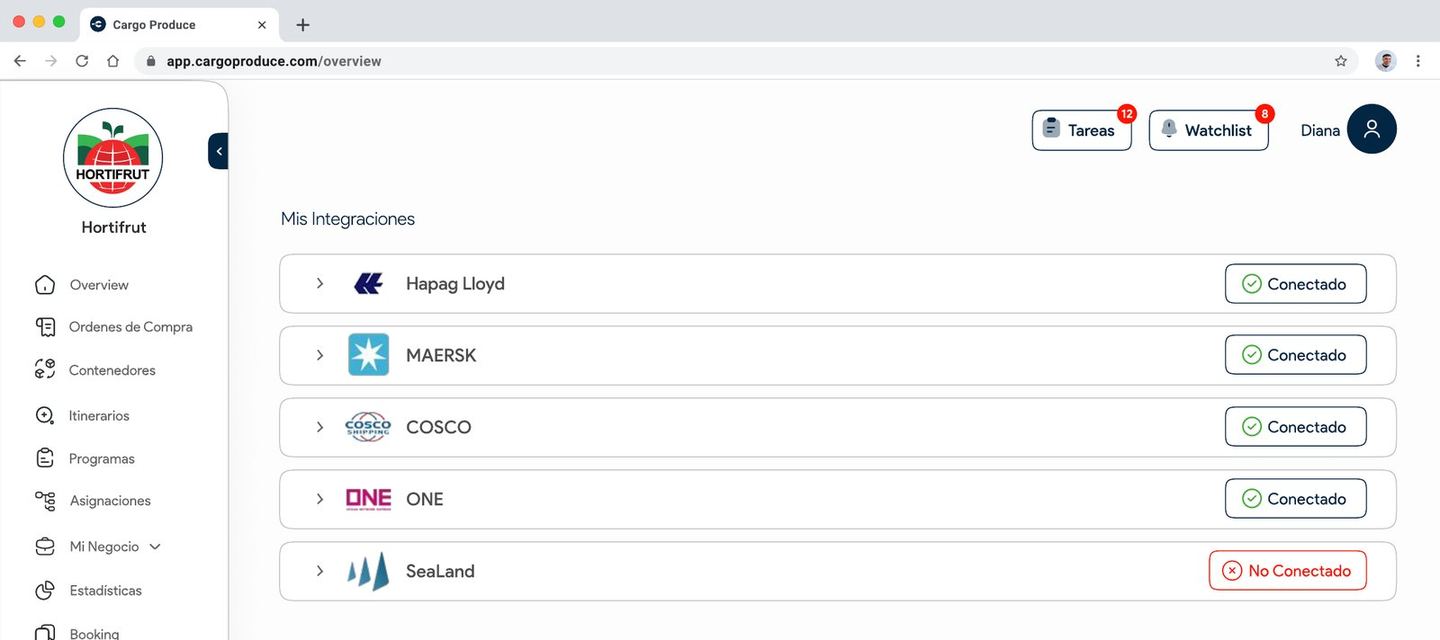
The exporter connects their own carrier accounts once. A clear connected / not connected state avoids searching sailings that can't be booked.
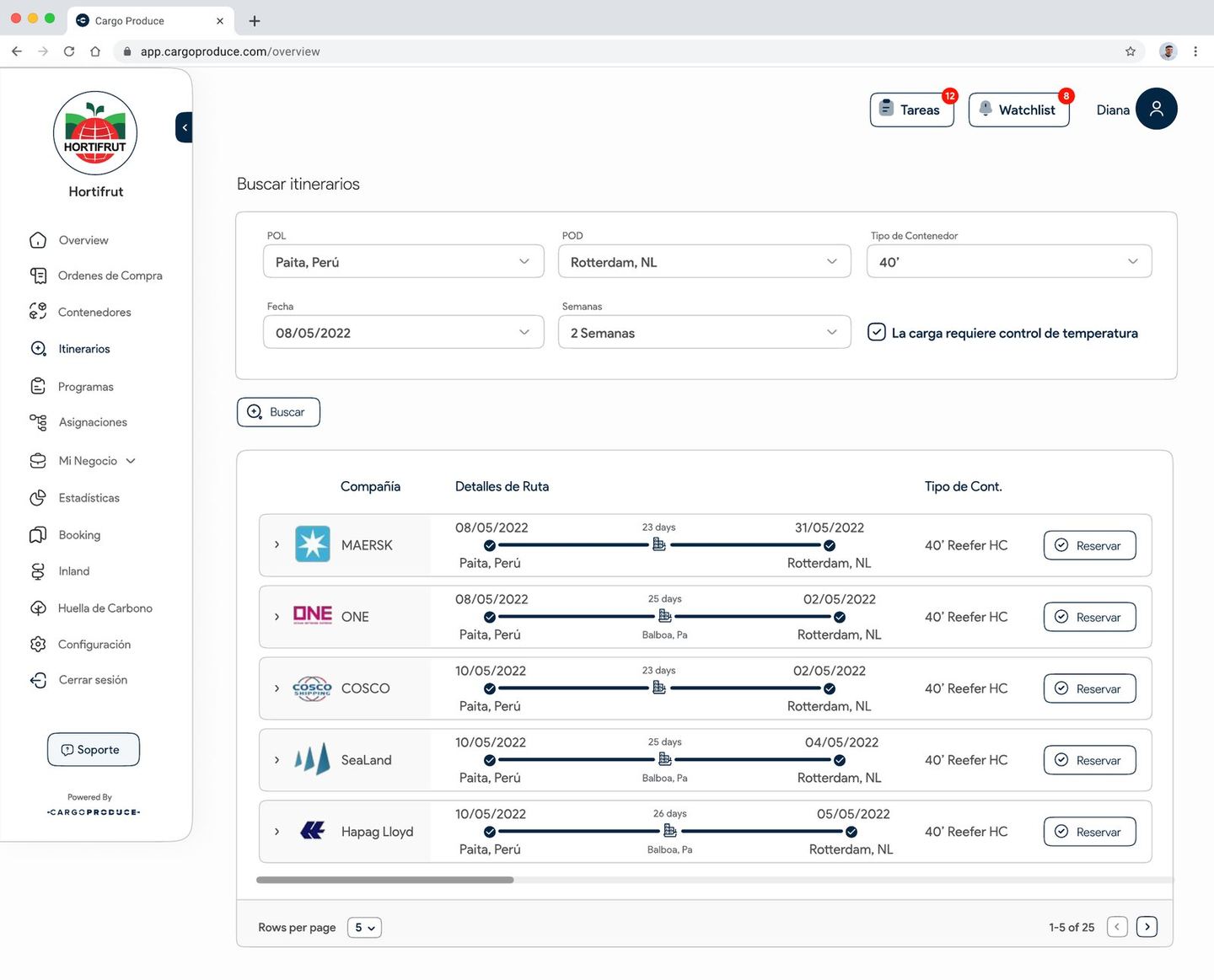
One search across every connected carrier. Each result shows the route, dates and transit time so the decision is a comparison, not a hunt.
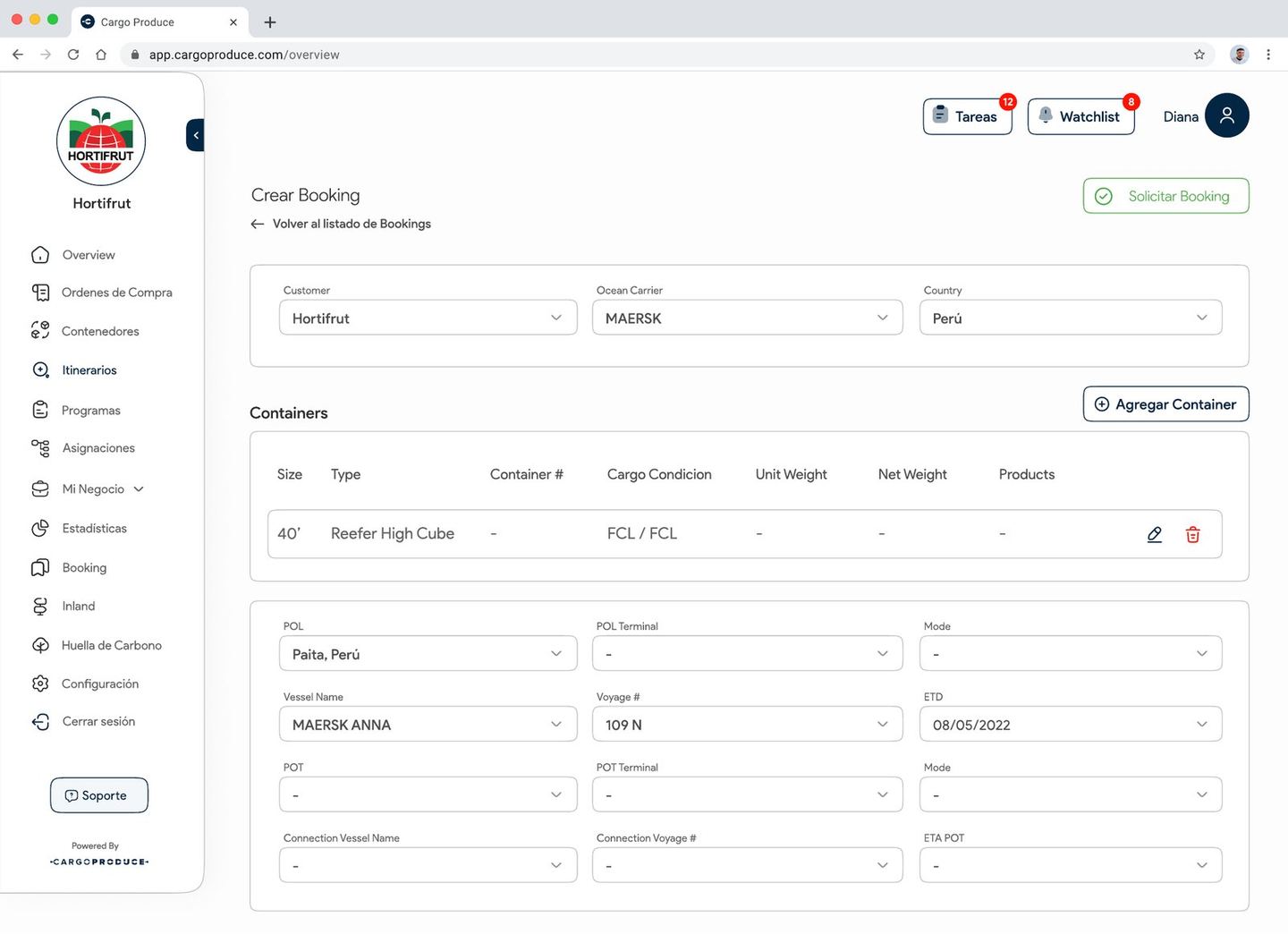
Containers are added as rows; the fields each carrier requires are marked.
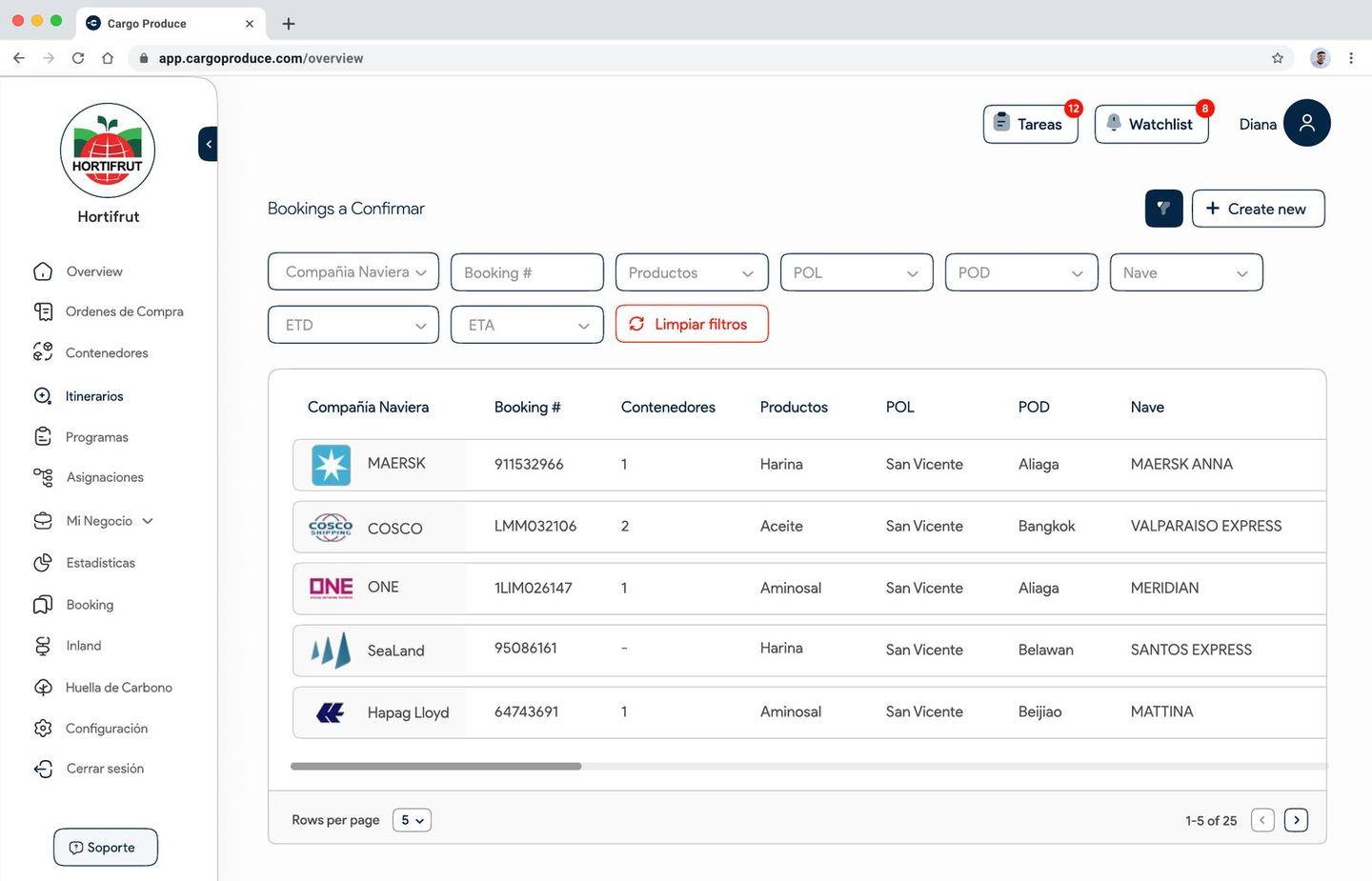
A single queue for every pending request, filterable by carrier, port and date.
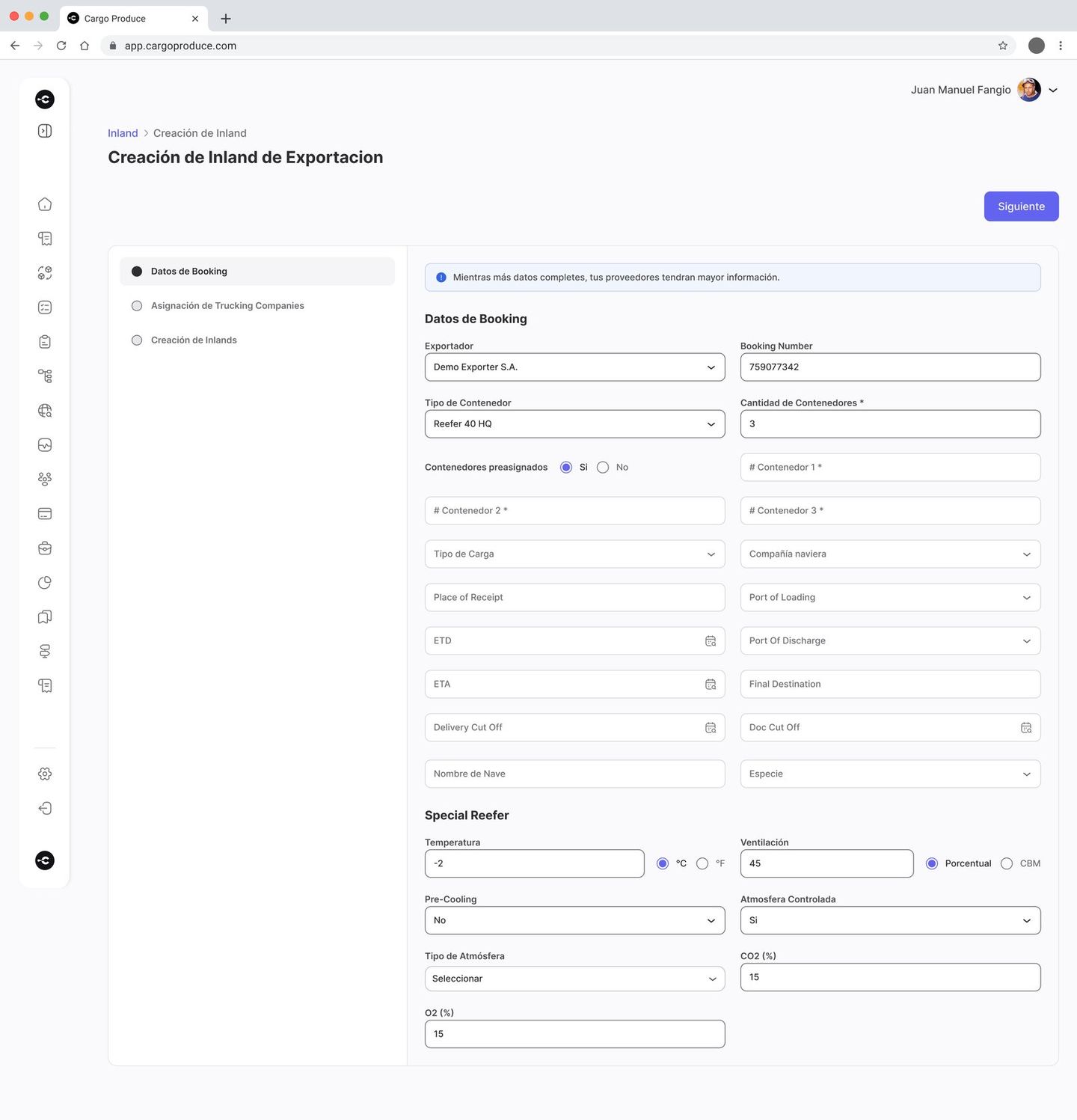
A three-step stepper. Step one pulls the booking in and asks for the reefer settings once: temperature, ventilation, pre-cooling and atmosphere.
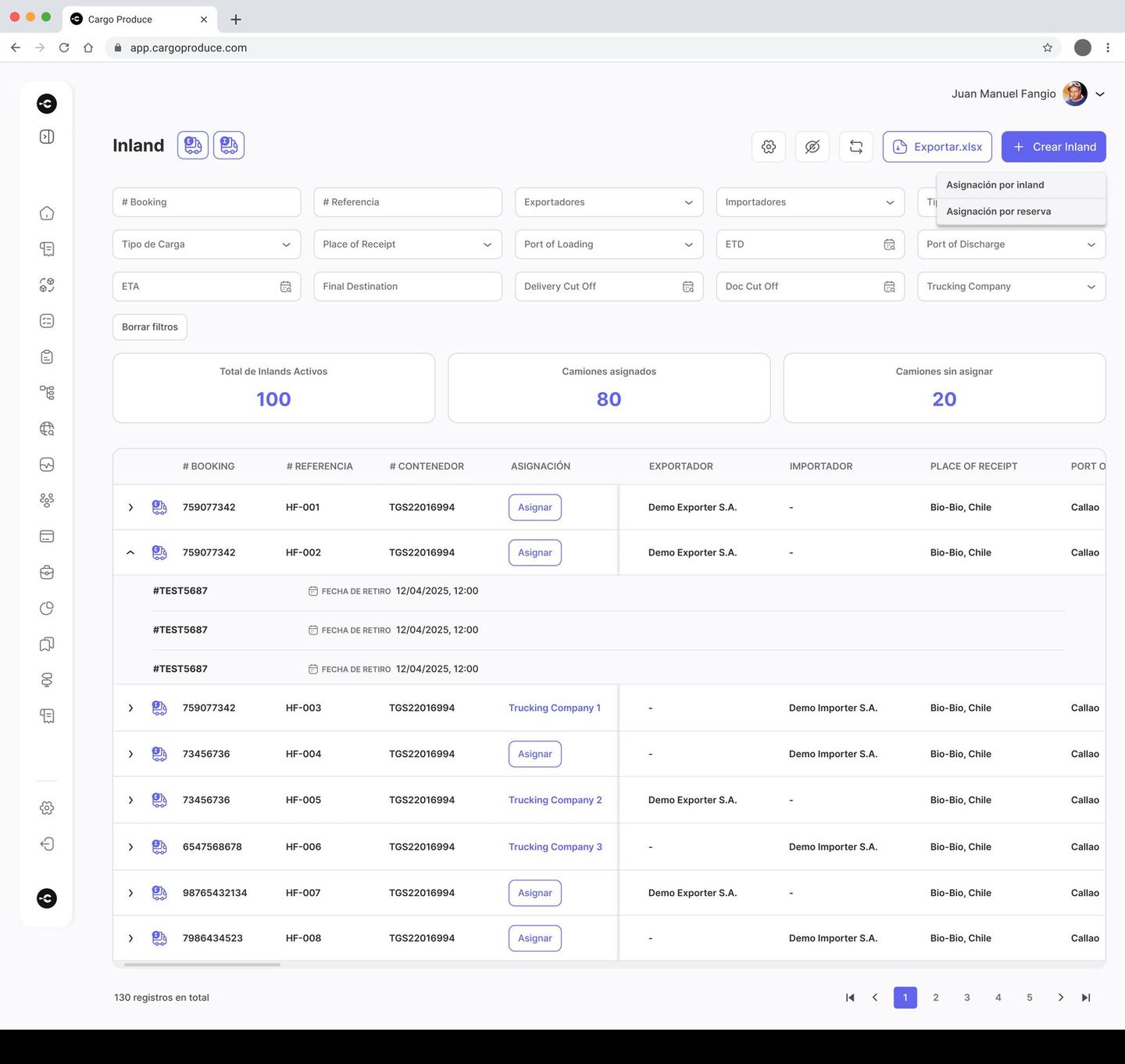
Every inland with its status, so the exporter knows which containers are moving and which still need a truck.
05My role
Design that started in the JSON.
- Product designFlows, multi-step forms, cards, tabs and steppers for booking and inland.
- API mappingMapped each request field by field and tested it in Postman with the provider.
- CoordinationOwned the open questions with the provider and the dev team.
- Front-end supportHelped build the dynamic forms so the design held up in code.
06Results
Booking became a step, not a side task.
07What improved
Before and after.
Integrations are a UX problem too.
The API decides what is possible; the design decides what the exporter has to understand. Working with the request payload open next to Figma kept each form to what the carrier really needs.
Fintech · Embedded payments
→