Work / Identidad Digital
Case 04 / 09 · Box Custodia · Digital identity & PKIIdentidadDigital
Requesting, approving and revoking digital certificates without having to understand PKI.
- Company
- Box Custodia y Gestión Digital · Córdoba, AR
- Sector
- Digital identity · PKI & e-signature
- My role
- UX/UI Designer
- Year
- 2022 – 2023
- Platform
- Web app for subscribers, registration authorities and admins
- Tools
- Figma, Maze, Useberry, Confluence
01Context
Certificates that sign documents with legal validity.
Box Custodia issues digital certificates that people and companies use to sign documents electronically. The PKI platform is where subscribers request them and where registration authorities verify who they are.
Besides individuals, organisations manage certificates for whole teams, grouped by project.
02The challenge
Security words that nobody uses.
Validation, issuance, revocation, certificate types: the vocabulary of PKI is opaque for most users, and some actions, like revoking, can't be undone.
Three very different roles share the platform, and admins needed to work with hundreds of certificates at once instead of one by one.
03Process
Three roles, one lifecycle.
- Subscriber01Sign in
Access with the identity the certificate will belong to.
- Subscriber02Request a certificate
Choose the type and complete the data and documents, step by step.
- Authority03Validate identity
A queue of requests to review, with filters and the documents attached.
- Authority04Approve or reject
With a reason the subscriber can act on.
- Platform05Issue & download
The certificate appears in the subscriber's list with its validity.
- Admin06Manage projects
Certificates grouped by client or project, with their own users.
- Admin07Bulk revocation
Revoke many certificates at once, with a clear consequence before confirming.
04The solution
Key screens.
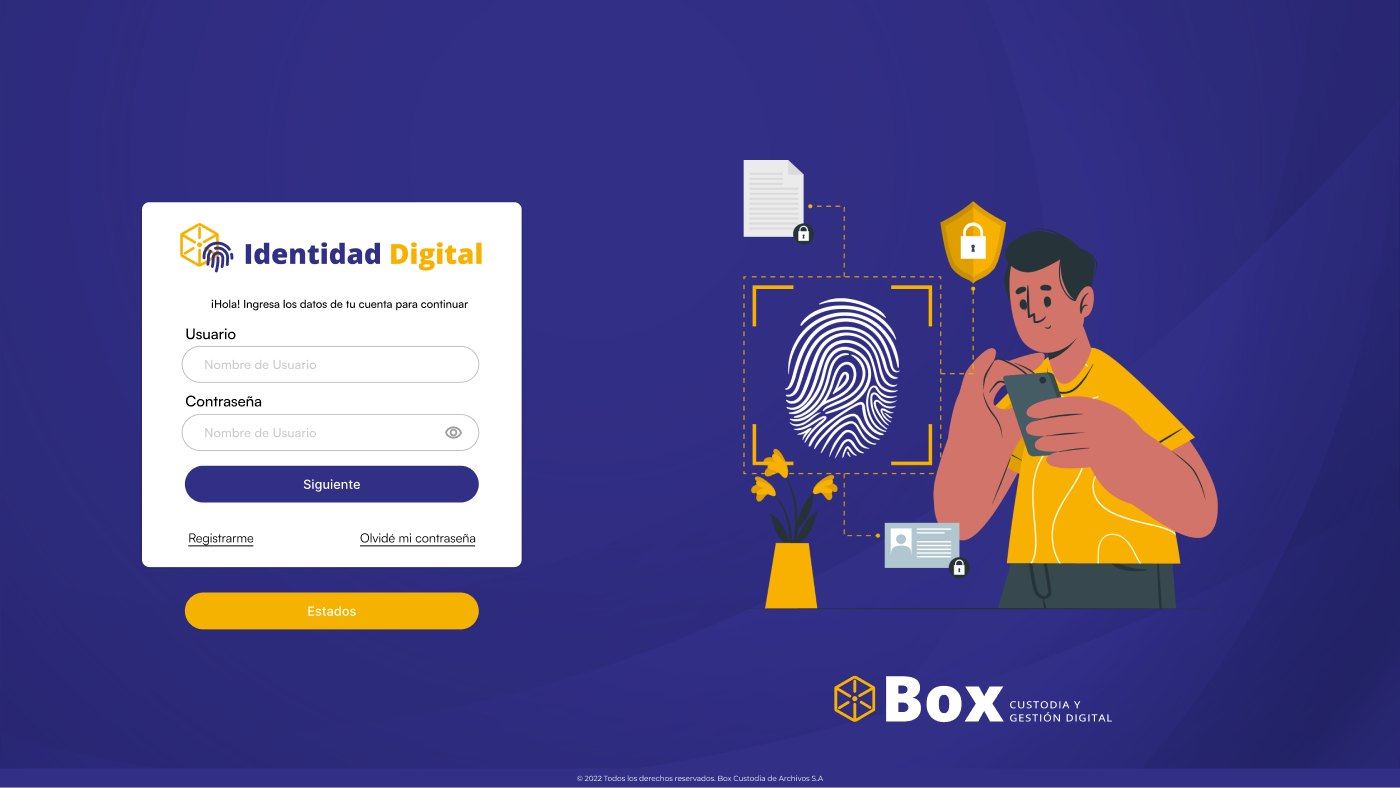
A calm entry point: one task, the brand of the issuer and help close to the form.
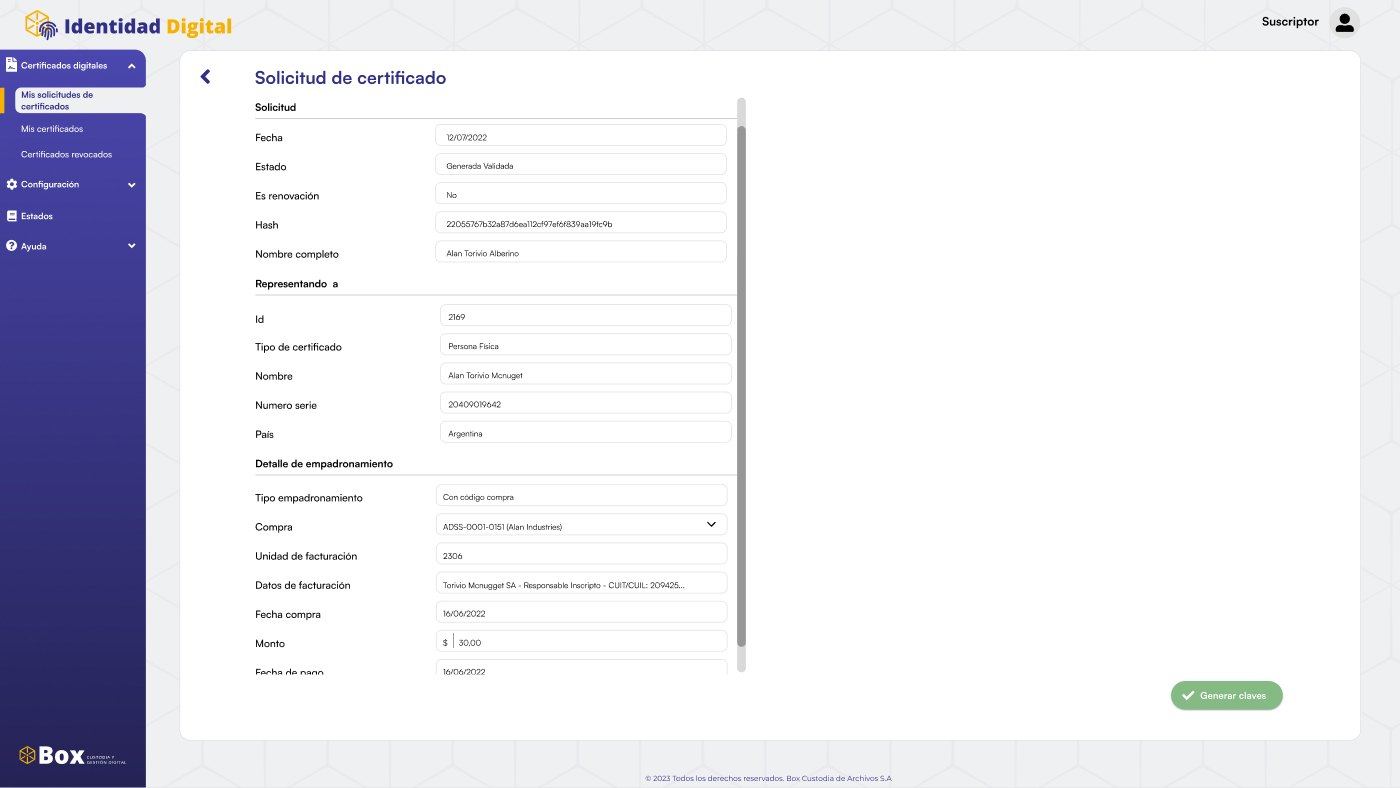
Each request shows its data, documents and current status, so nobody needs to call support to know what is missing.
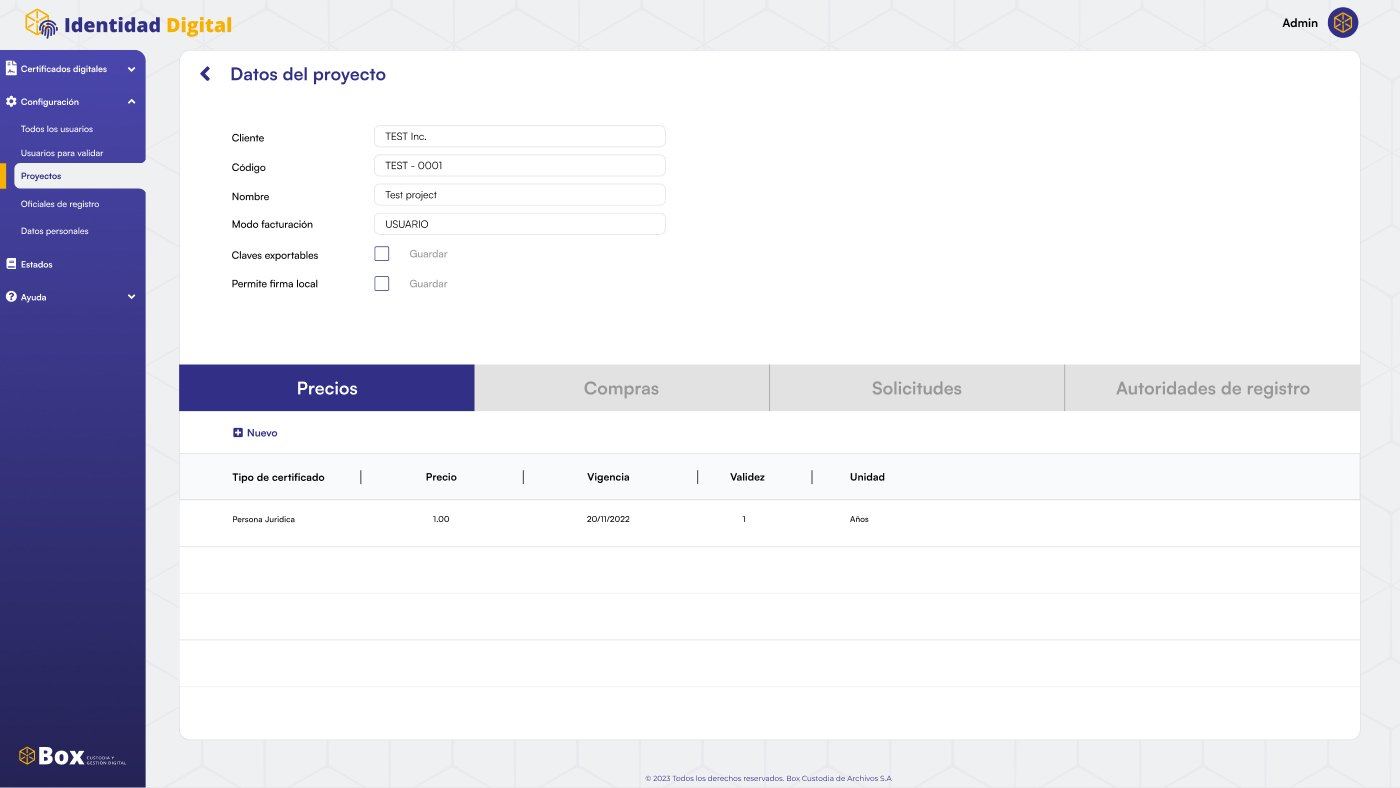
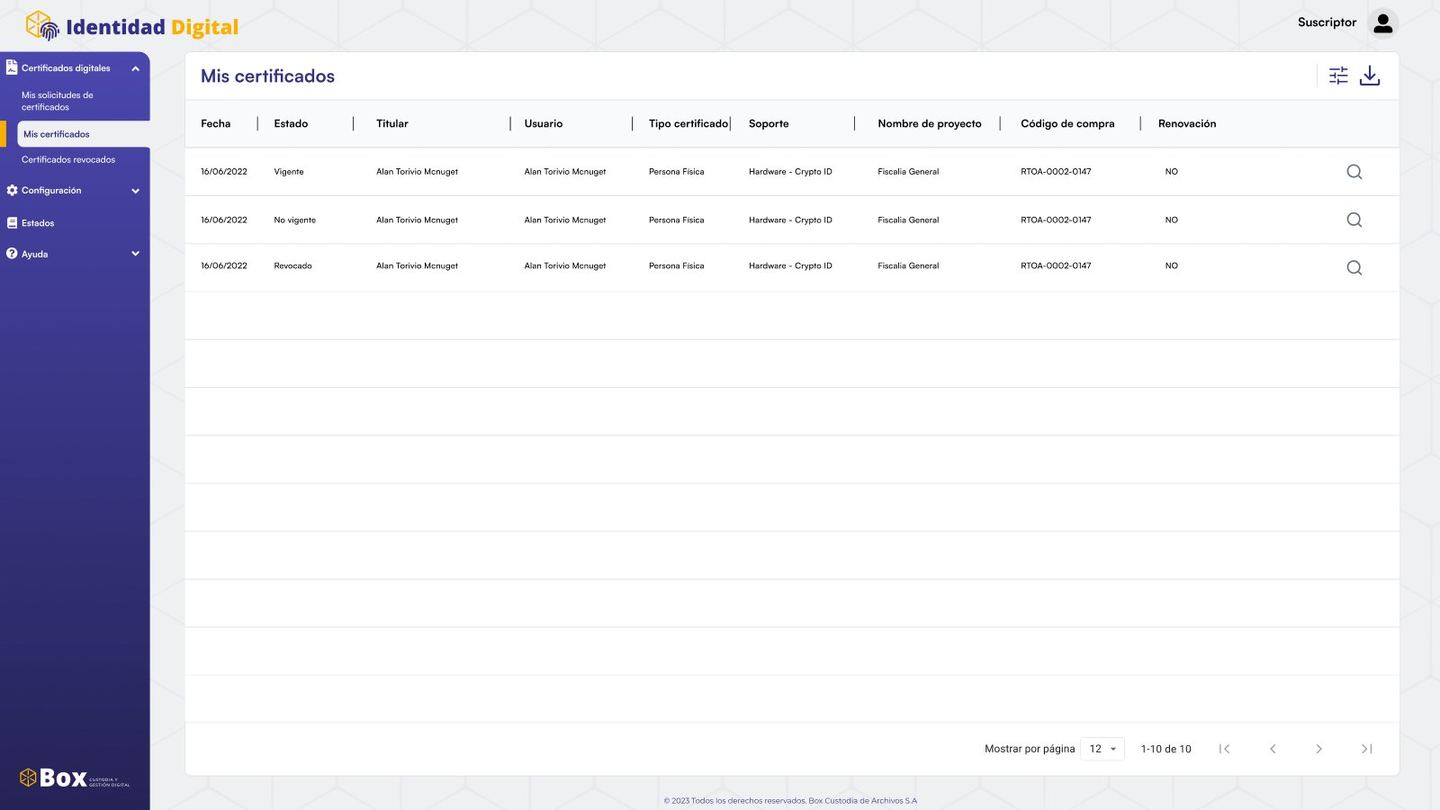
Admins see every certificate of a client or project in one place.
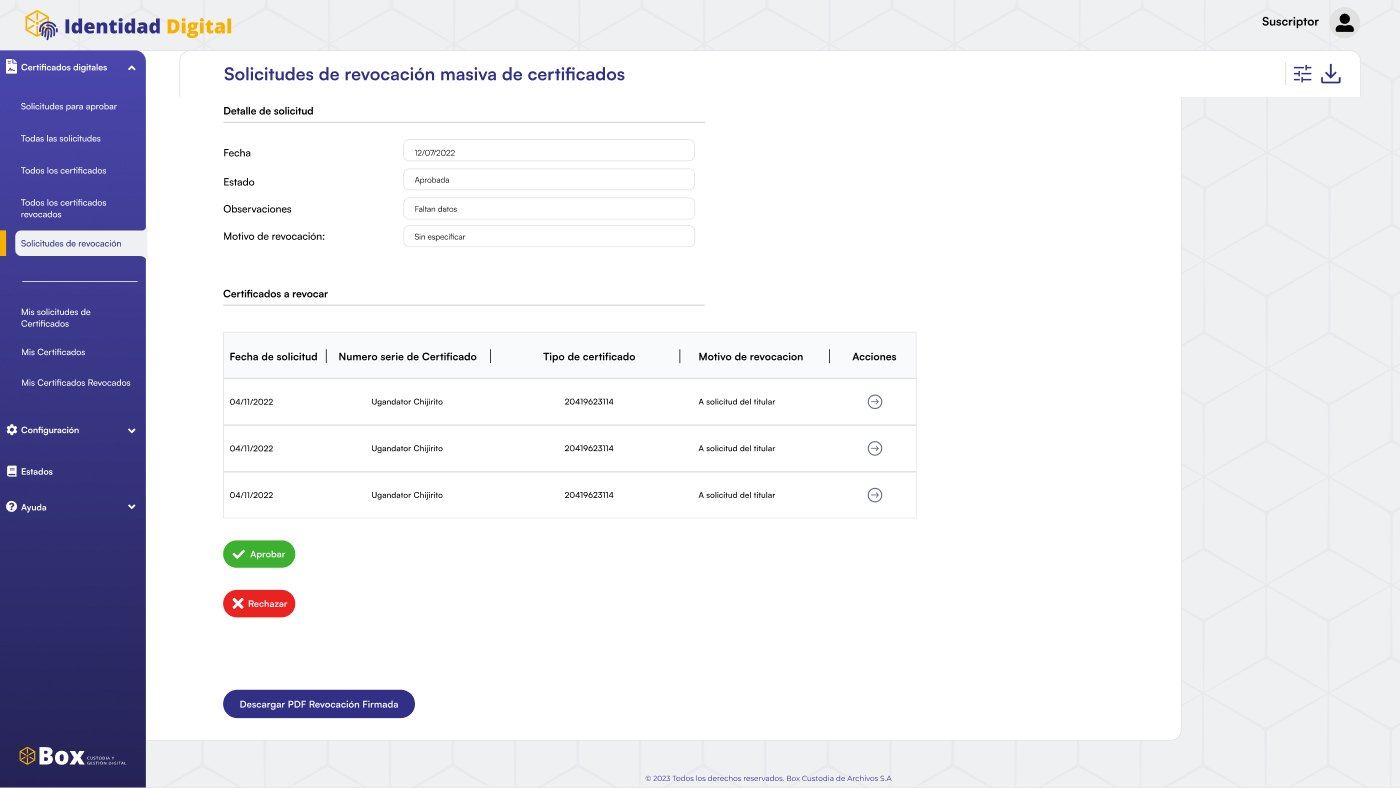
Bulk actions show how many certificates are affected before confirming.
05My role
Making security feel simple.
- Flows per roleDesigned the request, validation and admin flows for each role.
- Plain languageRewrote labels and states in the words users actually use.
- Usability testsTested prototypes with Maze and Useberry before final design.
- DocumentationSpecs and decisions documented in Confluence for the dev team.
06Results
Fewer returns, fewer calls.
07What improved
Before and after.
Security UX is about removing doubt.
Every irreversible action got a clear consequence and a confirmation, and every state got a sentence telling the user what happens next.
Box Custodia · GovTech
→